
|
|
1 | Pop-up help |


|
|---|
The pop-up help feature is meant to be used with minor problems, such as simply forgetting what a certain button does. Now you can either activate the pop-up help from the Help-menu or using the hot-key <Control-h>.
Then you can point and left-click an item for a small description what the item does.
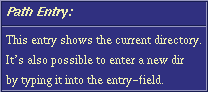
If you right-click an ActionButton, you can see the actual command that will be executed.

We advise you to browse through the items in the window with this feature if you do not wish to read this whole document. Presently pop-up help works only in the main window, not in any of the editor windows of the program. See section Button Editor on how to change the pop-up description text for the button you have just created.
|
|